
WordPress is one of the most powerful website platforms in the world. But what makes it truly flexible is its plugins. With the right plugins, you can turn a simple website into a powerful business tool.
In this detailed blog, we will explore the Best free WordPress plugins, especially useful for beginners, bloggers, and businesses like SB Digital Marketing, Indore.
What Are WordPress Plugins?
WordPress plugins are tools that add extra features to your website without coding. For example:
- SEO optimization
- Speed improvement
- Security protection
- Contact forms
- E-commerce functionality
There are thousands of plugins available, but choosing the right ones is important.
Also Read: Best AI Website Builders in 2026 (Free & Paid) | Create a Website in Minutes Without Coding

Why You Should Use Free WordPress Plugins
Free plugins are perfect if you are starting out. Here’s why:
- Cost-effective (₹0 investment)
- Easy to install and use
- Large community support
- Scalable (upgrade later if needed)
Even professional agencies like SB Digital Marketing, Indore use many free plugins for client projects.
Top Categories of Best Free WordPress Plugins
To make things simple, we’ll divide plugins into categories:
- SEO Plugins
- Page Builder Plugins
- Security Plugins
- Speed Optimization Plugins
- Backup Plugins
- Marketing & Analytics Plugins
- E-commerce Plugins
1. SEO Plugins (Rank Higher on Google)
Yoast SEO
Why use it?
It helps you optimize your content for search engines.
- Keyword optimization
- Readability analysis
- XML sitemap creation
Yoast SEO is one of the most popular SEO plugins available since 2007.
Rank Math SEO
Features:
- Easy setup wizard
- Advanced SEO suggestions
- Google schema support
Many experts prefer Rank Math because it offers more features for free.
Also Read: Trending AI Tools for Social Media Marketing (2026 Updated Guide)
2. Page Builder Plugins (Design Without Coding)
Elementor
Why it’s popular:
- Drag-and-drop builder
- 100+ templates
- Beginner-friendly
Elementor powers millions of websites and allows visual editing without coding.
Gutenberg (Default WordPress Editor)
- Lightweight
- Fast
- Built-in blocks
Perfect for bloggers and simple websites.
3. Security Plugins (Protect Your Website)
Wordfence Security
Key Features:
- Firewall protection
- Malware scanning
- Login security
Wordfence is trusted by millions of users and provides strong protection against attacks.
Important Tip: Always update plugins regularly to avoid security risks.
4. Speed Optimization Plugins (Improve Website Speed)
LiteSpeed Cache
Benefits:
- Faster loading speed
- Image optimization
- Server-level caching
WP Super Cache
- Simple caching plugin
- Easy setup
- Ideal for beginners
Caching plugins reduce load time and improve user experience.
Also Read: What is AEO (Answer Engine Optimization)? | SB Digital Marketing
5. Backup Plugins (Save Your Website Data)
UpdraftPlus
Why important?
- Automatic backups
- Restore with one click
- Cloud storage support
This is one of the most recommended backup plugins.
6. Marketing & Analytics Plugins
Site Kit by Google
Features:
- Google Analytics integration
- Search Console data
- AdSense tracking
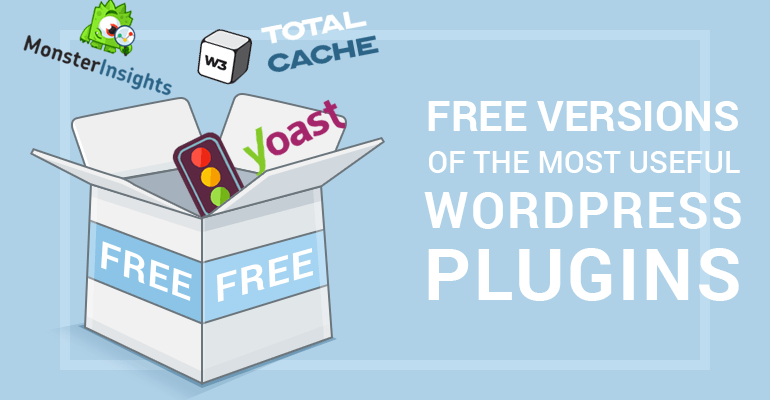
MonsterInsights
- Easy Google Analytics setup
- Real-time stats
- User behavior tracking
7. E-commerce Plugins
WooCommerce
Why use it?
- Convert your site into an online store
- Sell products or services
- Payment gateway integration
WooCommerce is a powerful open-source e-commerce plugin used globally.
Other Must-Have Free WordPress Plugins
Here are some additional useful plugins:
- Contact Form 7 – Create forms
- Smush – Image optimization
- Akismet Anti-Spam – Protect from spam
- Redirection – Manage URLs
- Really Simple SSL – Enable HTTPS
These plugins are widely recommended by experts.
How to Choose the Best Free WordPress Plugins
Choosing the right plugin is important. Follow these tips:
1. Check Ratings & Reviews
Always choose plugins with high ratings (4+ stars).
2. Active Installations
More installs = more trust.
3. Regular Updates
Updated plugins are more secure.
4. Compatibility
Ensure it works with your WordPress version.
Common Mistakes to Avoid
- Installing too many plugins
- Using outdated plugins
- Ignoring security updates
- Choosing low-rated plugins
Too many plugins can slow down your website.
Best Plugin Combination (Recommended Setup)
If you are starting a website, use this combo:
- SEO → Yoast SEO or Rank Math
- Design → Elementor
- Security → Wordfence
- Speed → LiteSpeed Cache
- Backup → UpdraftPlus
- Analytics → Site Kit
This setup is also used by professionals like SB Digital Marketing, Indore for client websites.

Why Plugins Matter for Business Growth
For digital marketing agencies like SB Digital Marketing, Indore, plugins help:
- Generate leads
- Improve SEO rankings
- Increase website speed
- Enhance user experience
- Track performance
In short, plugins directly impact your online success.
Final Thoughts
Choosing the Best free WordPress plugins can completely transform your website. Whether you are a beginner, blogger, or business owner, the right plugins will help you grow faster.
Start with basic plugins, avoid overloading your site, and keep everything updated.
If you are serious about growing your online presence, tools used by experts like SB Digital Marketing, Indore can give you a strong advantage.
Conclusion
WordPress plugins are the backbone of a successful website. From SEO to security, every plugin plays an important role.
- Start small
- Choose wisely
- Grow smart
FAQs
1. What are the best free WordPress plugins for beginners?
The Best free WordPress plugins for beginners include tools for SEO, design, security, and speed. Popular options are Yoast SEO, Elementor, and Wordfence. These plugins are easy to use and require no coding knowledge.
2. Are free WordPress plugins safe to use?
Yes, free plugins are safe if you download them from trusted sources like WordPress.org. Always check ratings, reviews, and updates before installing any plugin to keep your website secure.
3. How many plugins should I install on my WordPress website?
You should install only the plugins you really need. Generally, 8–15 well-coded plugins are enough. Too many plugins can slow down your website and affect performance.
4. Which free WordPress plugin is best for SEO?
Some of the Best free WordPress plugins for SEO are Rank Math SEO and Yoast SEO. They help you optimize keywords, improve content readability, and rank higher on search engines.
5. Why should businesses use WordPress plugins?
Plugins help businesses improve website performance, SEO, and lead generation. Agencies like SB Digital Marketing, Indore use the Best free WordPress plugins to create fast, secure, and high-ranking websites for their clients.